
Before you begin
Make sure you have:
- An EC20 running firmware 3.4.40 or later
- A computer connected to the same local network as the EC20
- An active Audinate account
- Dante Controller, including Dante Activator, installed on your computer
Note: All EC20 cameras include Dante input at no additional cost.
1. Find the EC20 MAC address
- Sign in to the EC20 Web UI.
- Select Network.
- Locate the camera's MAC Address.
- Note the last six characters of the MAC address.
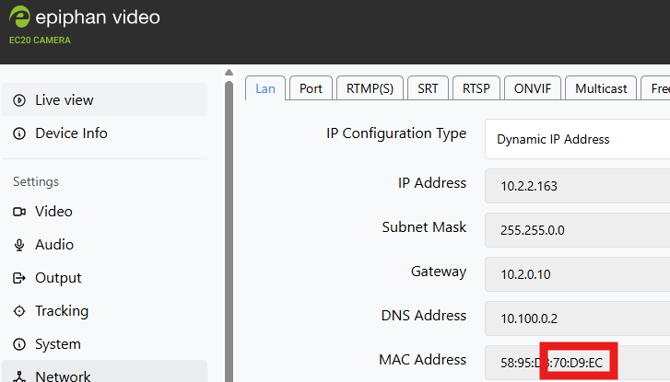
You will use these characters to identify the EC20 in Dante Activator.
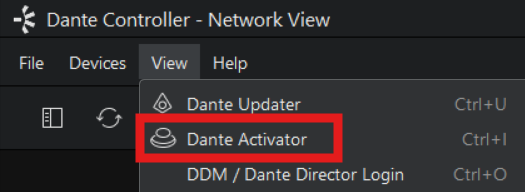
2. Open Dante Activator
- Launch Dante Controller on your computer.
- Open Dante Activator.
- Sign in to your Audinate account when prompted
3. Activate the EC20
- Locate the EC20 under the available devices in Dante Activator.
- Match the device using the last six characters of the MAC address recorded in Step 1.
- Select the EC20 and activate its included Dante licence.
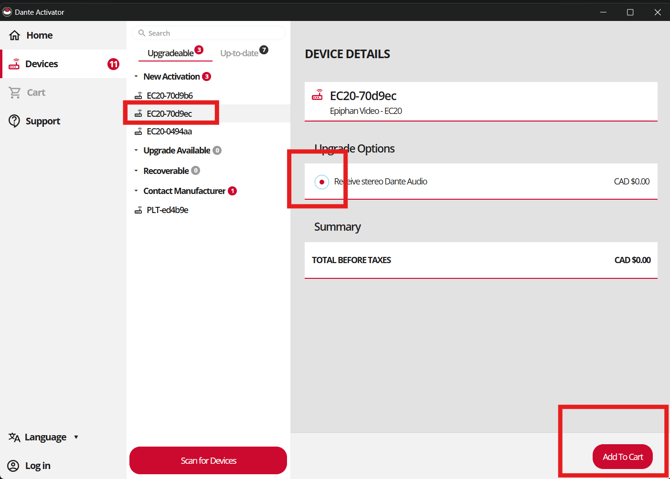
Wait for Dante Activator to confirm that activation has completed.
4. Reboot the EC20
After activation:
- Return to the EC20 Web UI.
- Select System.
- Then Reboot.
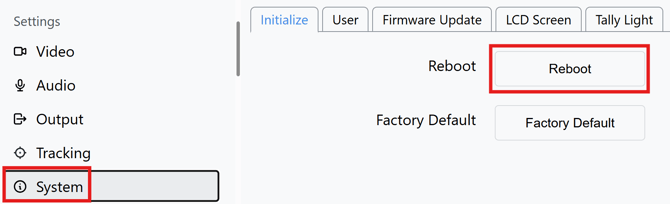
Allow the EC20 to restart completely before continuing.
5. Select Dante as the audio input
- Sign back in to the EC20 Web UI.
- Select Audio.
- Under Input Type, select Dante.
- Apply the change.
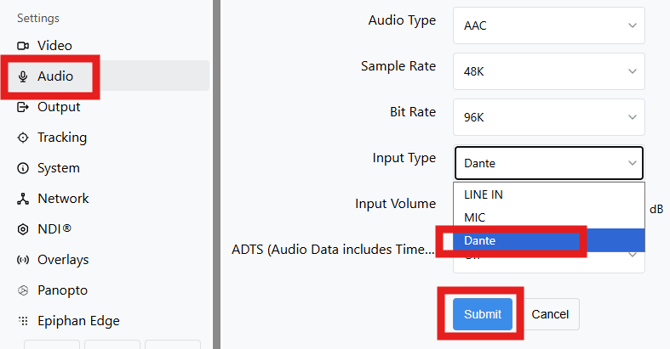
Important: Reboot the EC20 after selecting Dante to apply the audio configuration.
Go to System > Initialize and select Reboot.
6. Route audio in Dante Controller
- Return to Dante Controller.
- Open the network routing view.
- Locate your Dante audio transmitter.
- Locate the EC20 as a receiving device.
- Select the appropriate routing.
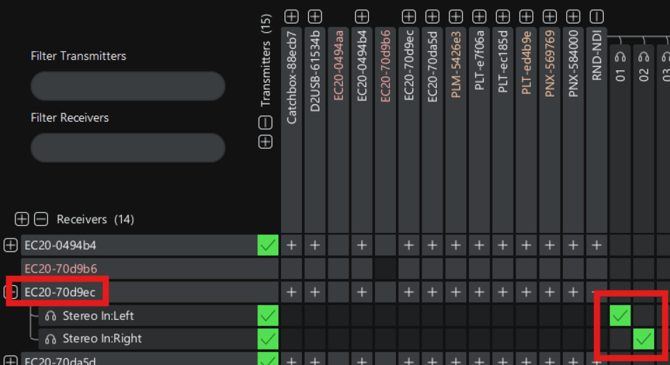
The EC20 is now ready to receive Dante audio over the network.
Verify Dante audio
Confirm that the subscription in Dante Controller shows as successfully established.
In the EC20 Web UI, open the Audio page and confirm that Dante is selected as the input source.
The EC20 supports Dante audio input only and does not transmit audio to other Dante devices.